

Education
Web AppStudy Panda
An AI study web app that turns lecture slides into flashcards and quizzes, and captures live lectures with notes and an in-app assistant.
The Platform
About the Web App
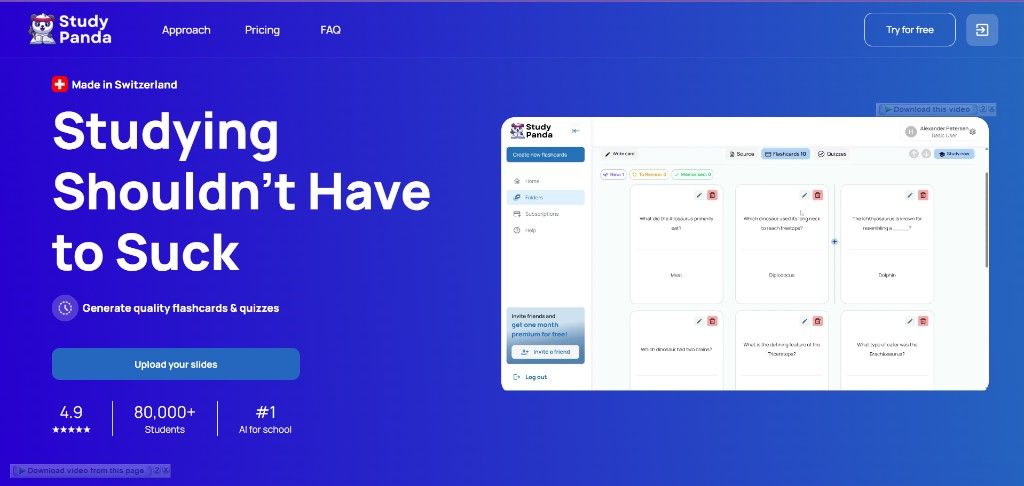
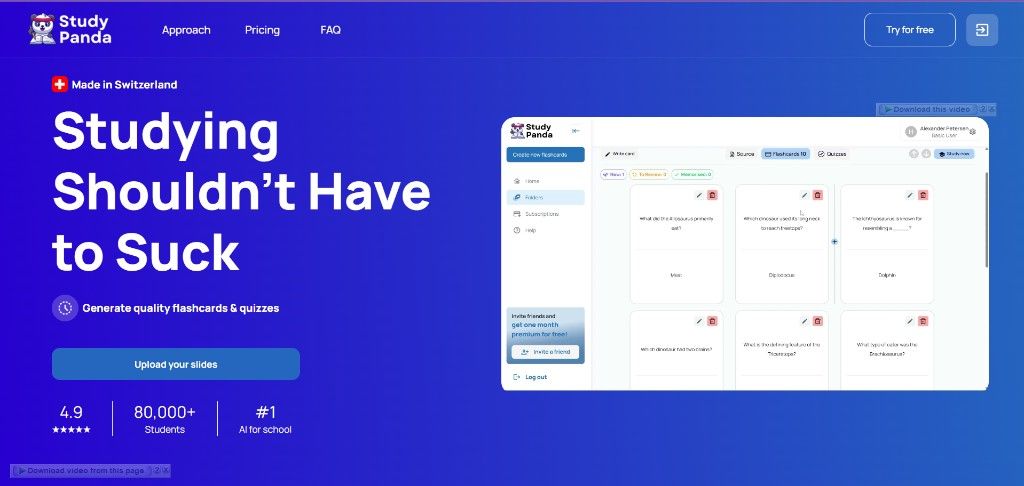
Study Panda is a student-facing web application for turning study materials into practice. The product landing presents it as a Swiss-made tool for generating flashcards and quizzes from uploaded slides, with a workspace for folders, flashcards, and quizzes.
The study flow is staged on the marketing site: first upload lecture slides, summaries, or other files (PDF, DOCX, PPTX), then let the AI create flashcards from that input. The in-app workspace adds live lecture recording with auto notes, a rich-text notes editor, and Oreo, a study assistant that can answer questions about the lecture.
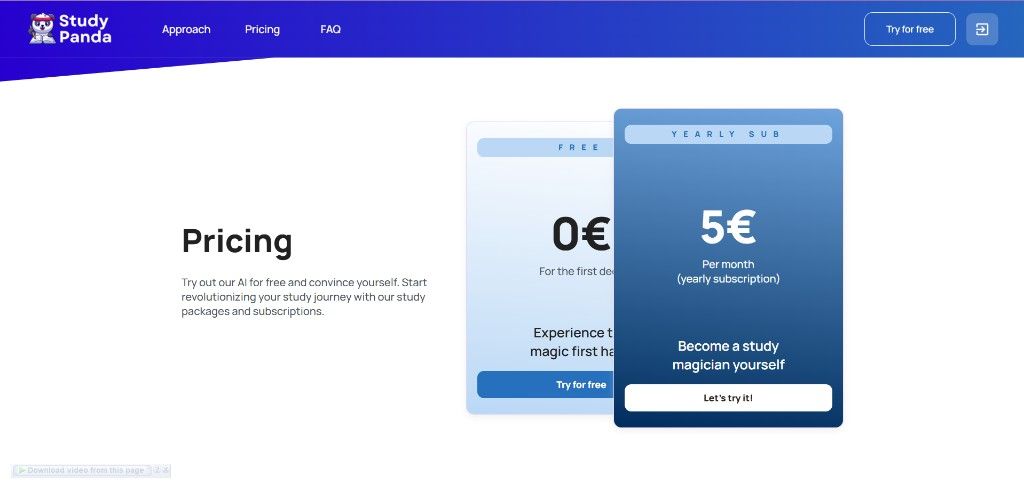
Access is offered as a free plan and a yearly subscription. No live site URL, technology stack, team, duration, or client testimonial was available for this case study, so those fields are left empty rather than guessed.
THEME
Primary
#6EA0E8
Secondary
#8B9CFF
Background
#0B1024
TYPOGRAPHY
Inter
Aa Bb Cc Dd Ee Ff Gg Hh Ii Jj Kk Ll Mm Nn Oo Pp Qq Rr Ss Tt Uu Vv Ww Xx Yy Zz 0123456789
Objectives
Project Goals
Turn slides into study materials
Let students generate flashcards and quizzes from lecture slides instead of writing every card by hand.
Capture what happens in class
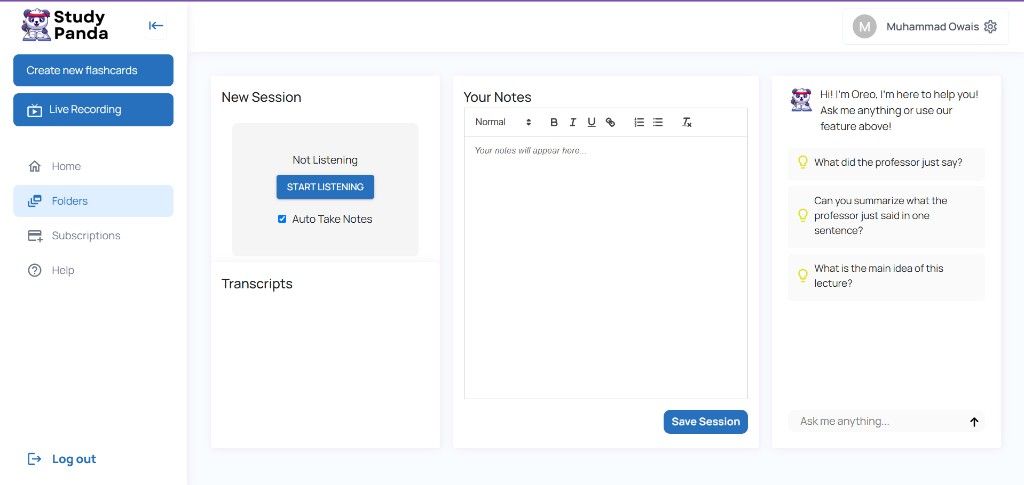
Record live lectures, take notes in the same workspace, and ask an assistant about what was just said.
Keep study work in one place
Organize generated cards and quizzes in folders, with a clear path from upload to practice.
Product Screens
Inside the platform
Key workflows from the web application, shown at desktop scale so the product interface stays readable.
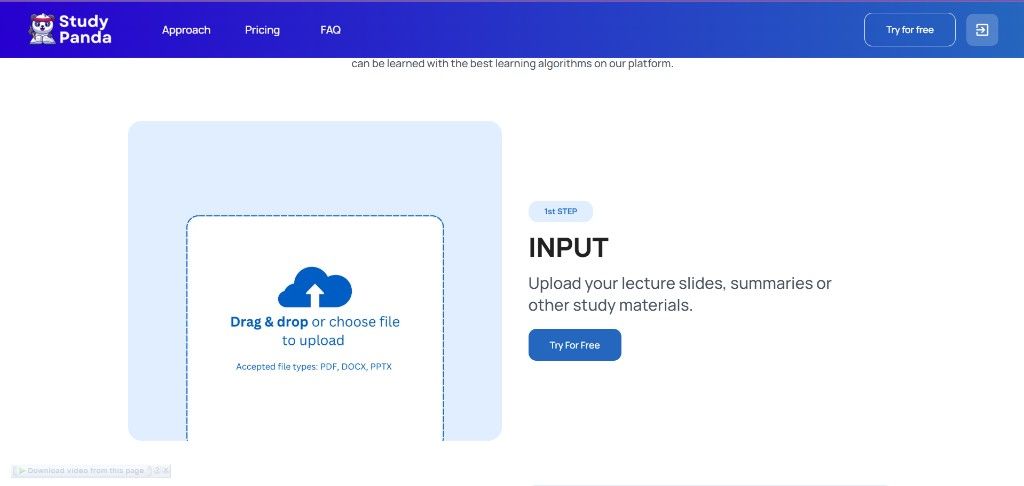
Upload lecture slides as PDF, DOCX, or PPTX
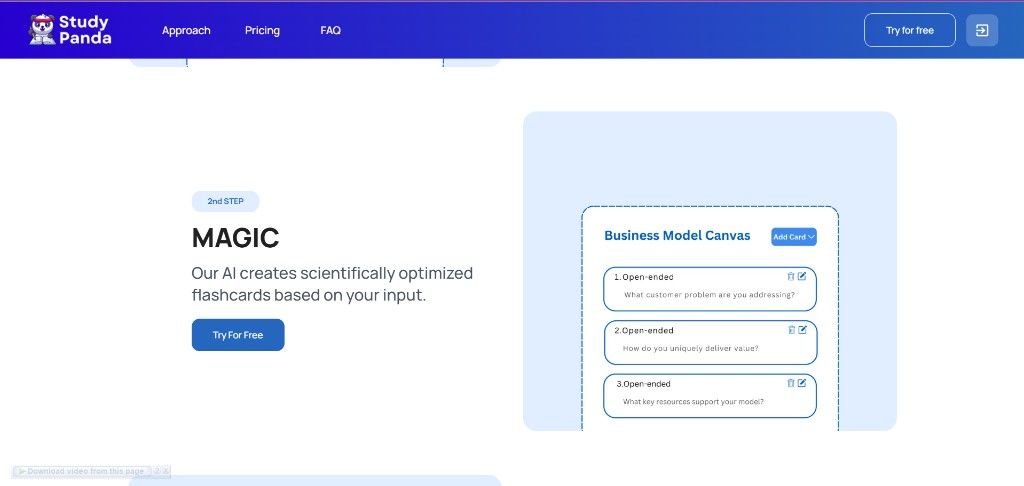
AI-generated flashcards from uploaded study material
Study workspace with live recording, notes, and Oreo AI assistant
Free and yearly subscription plans
Challenges
Project Challenges
Lecture files are not study-ready: Slides, summaries, and documents still have to be turned into questions students can actually practice with.
Live lectures move faster than notes: Students need a way to record a session, keep a transcript, and write notes without leaving the study workspace.
Practice has to stay organized: Generated flashcards and quizzes need a foldered workspace so they remain usable after the upload step.
Process
Our Approach
- 01
Upload first
The first step is a drag-and-drop upload for lecture slides and other study files, accepting PDF, DOCX, and PPTX.
- 02
AI flashcard generation
The second step is the AI pass: the product copy describes scientifically optimized flashcards created from that input, shown as editable open-ended cards.
- 03
A workspace for class and review
The dashboard combines flashcard folders, live recording, a notes editor, and Oreo, an assistant with prompts such as summarizing what the professor just said.
Highlights
Key Features
Slide and file upload
Drag and drop or choose lecture slides, summaries, or other study materials. Accepted file types shown on the product: PDF, DOCX, and PPTX.
AI flashcards and quizzes
The product generates flashcards from uploaded material and provides a quizzes view alongside flashcards in the study workspace.
Live recording and notes
Start a live session, optionally auto-take notes, keep a transcript, and write in a rich-text notes editor with a save-session action.
Oreo study assistant
An in-app assistant named Oreo can take questions during a session, with suggested prompts about what the professor said and the main idea of the lecture.
Free and yearly plans
The pricing page shows a free plan at 0€ and a yearly subscription billed at 5€ per month.
Portfolio
More Projects

Freight Operator
A dispatcher web application for managing loads, documents, routing, billing, and driver operations from pickup through delivery.

Share Accountz
A web and mobile app for sharing bank accounts and social handles from one profile, with a dashboard, QR code, and one-click share link.
Start Your Project
Ready to build something like this?
Tell us about your idea and we will help you turn it into a reliable digital product.