

Retail & Consumer
Web & MobilePurchase Tracker 360
iOS, Android, and a web admin for purchase analytics — scan barcodes, log prices and stores, and keep the catalog on one AWS-backed product.
The Product
About the Web & Mobile App
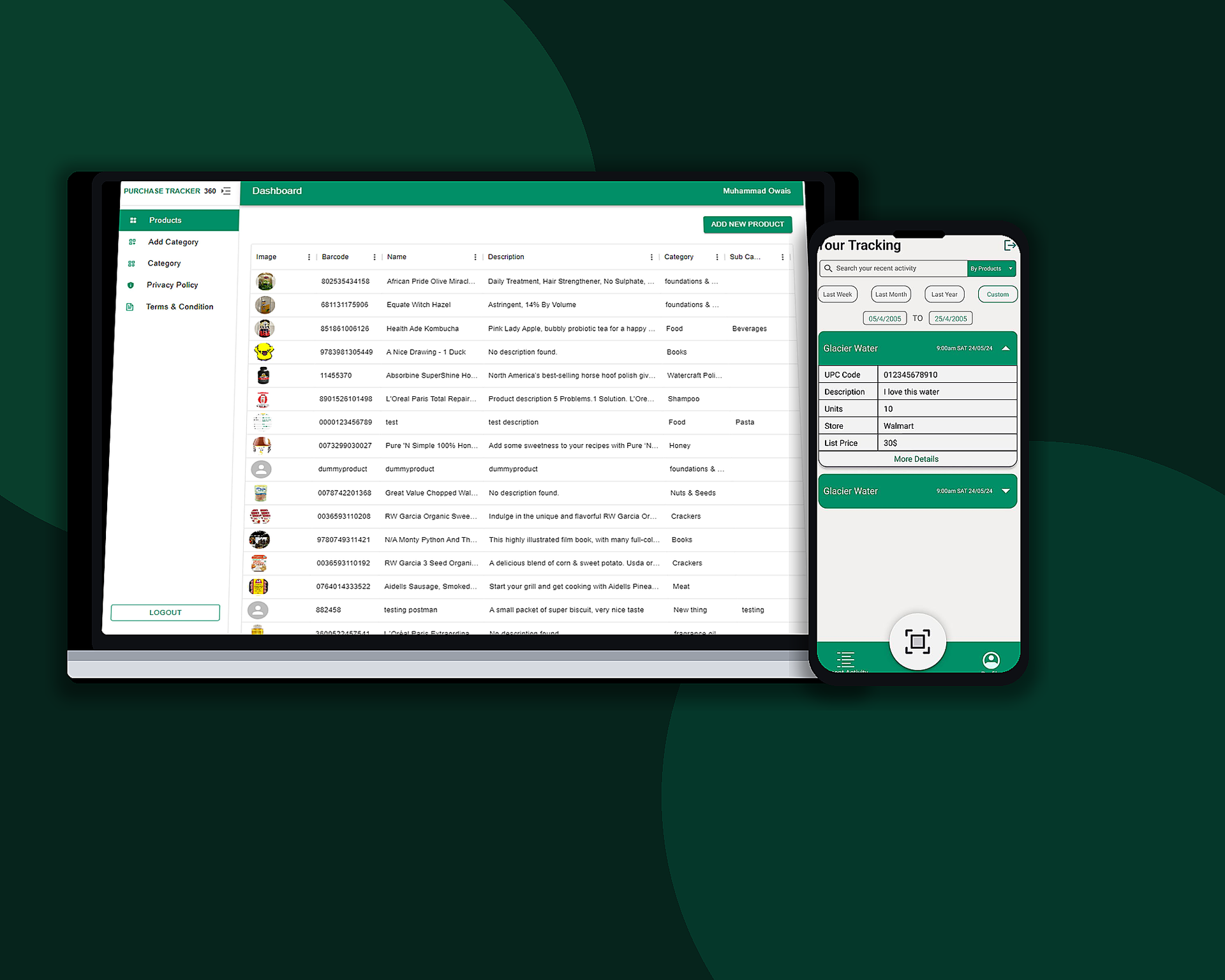
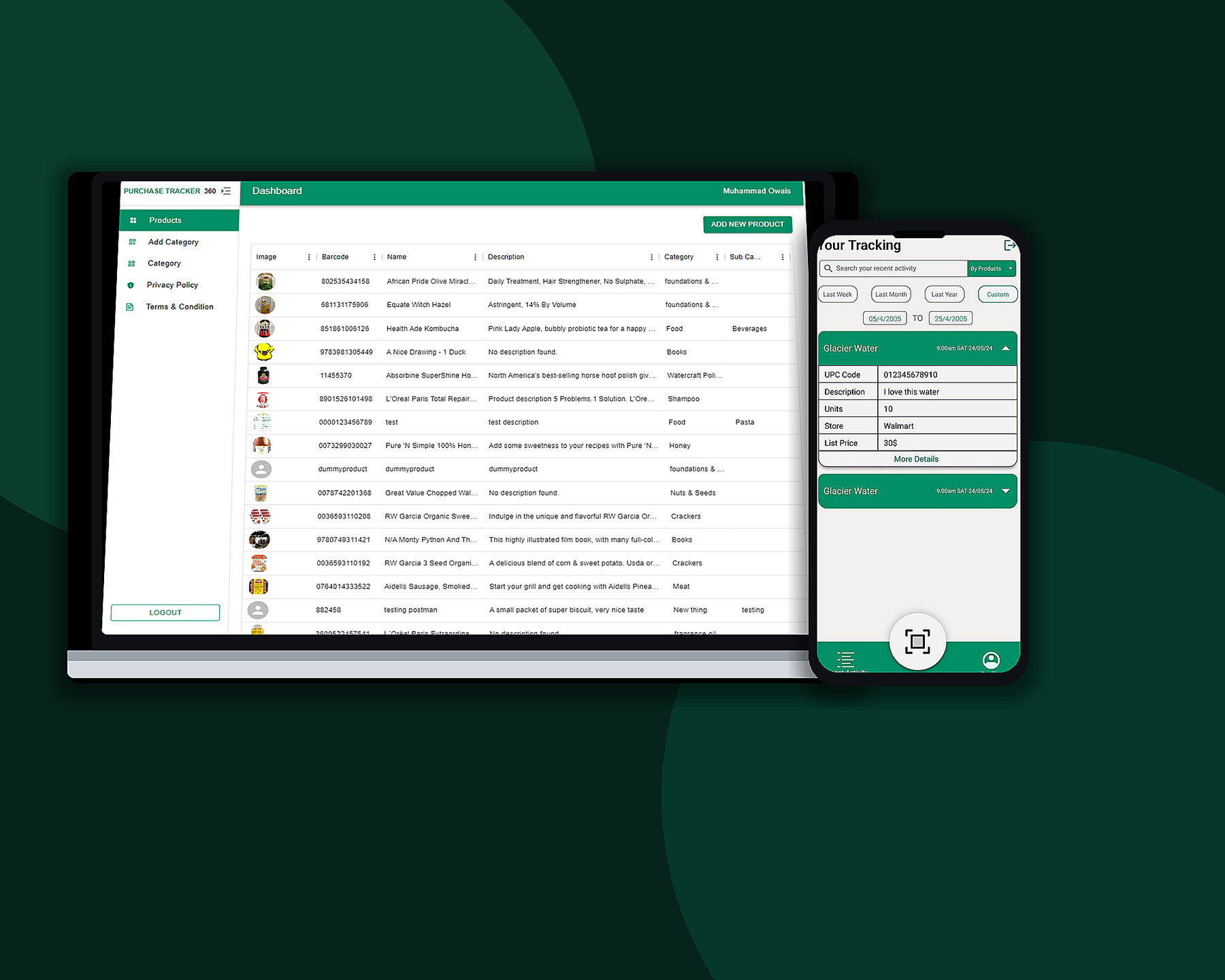
Purchase Tracker 360 is a Computing Yard product from 2024: a React Native app for iOS and Android paired with a React admin. Shoppers capture barcodes, photos, prices, and store locations, then review history, trends, and how often they buy the same item.
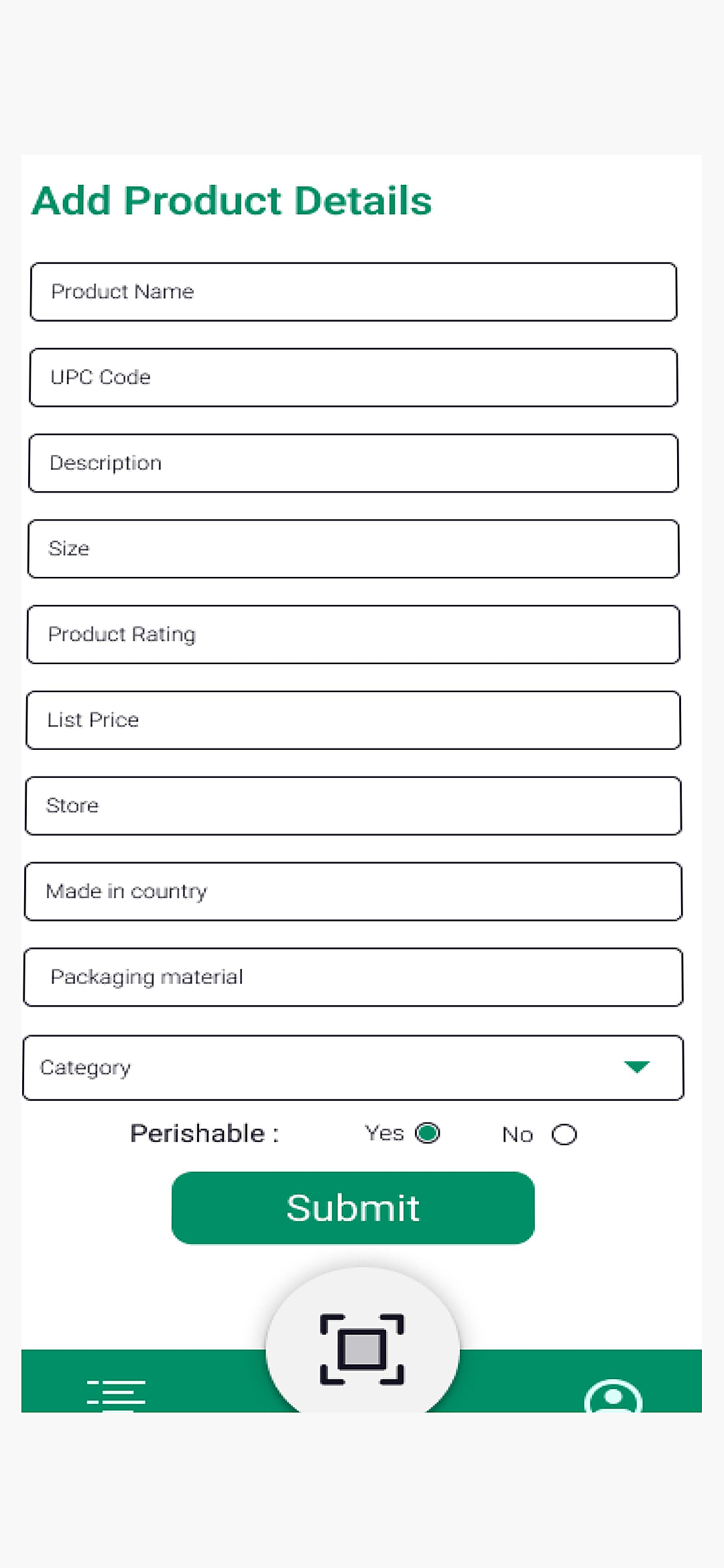
Records stay on the device and in AWS, so the feed still works without a constant connection and stays available across sessions. After a scan, the add-product form fills in the rest — size, rating, store, category, and whether the item is perishable.
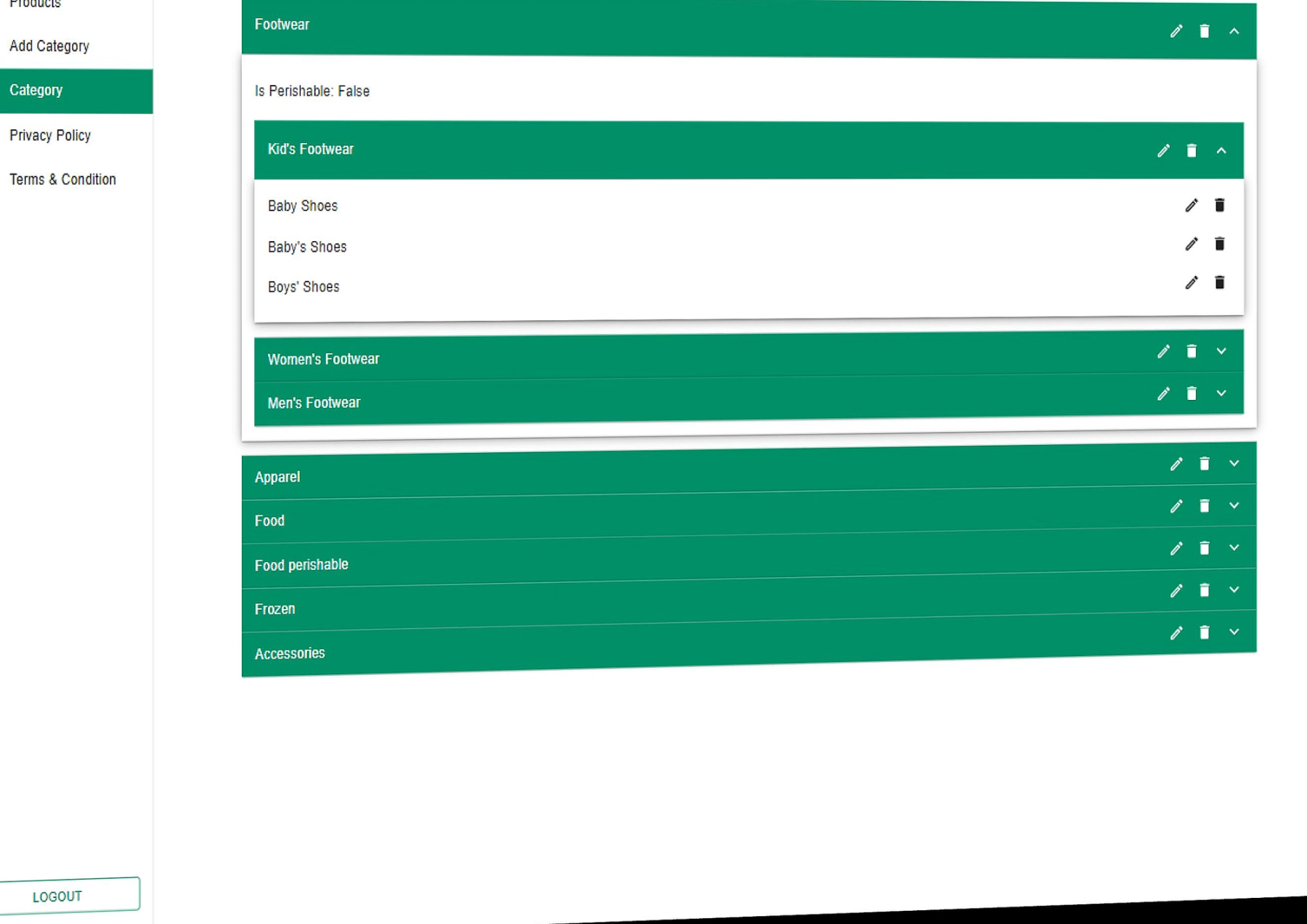
The web console is where the catalog is maintained. Admins add products and nest them into categories, subcategories, and side categories so the mobile app has a structured database to search and filter against.
THEME
Primary
#1DBA8A
Secondary
#008966
Background
#0B4D36
TYPOGRAPHY
Inter
Aa Bb Cc Dd Ee Ff Gg Hh Ii Jj Kk Ll Mm Nn Oo Pp Qq Rr Ss Tt Uu Vv Ww Xx Yy Zz 0123456789
Objectives
Project Goals
Scan-first logging
Let people add a purchase in a few steps: point the camera at a barcode, confirm the item, and save price and store details.
History you can filter
Make recent activity searchable by product and by week, month, year, or a custom date range — not a flat unsearchable list.
One catalog for both clients
Give administrators a web panel to own products and a nested category tree that the mobile app can rely on.
Shared backend
Run iOS, Android, and the admin console on one Node.js service on AWS, with local storage as a fallback on the phone.
Web & Mobile Experience
Product screens
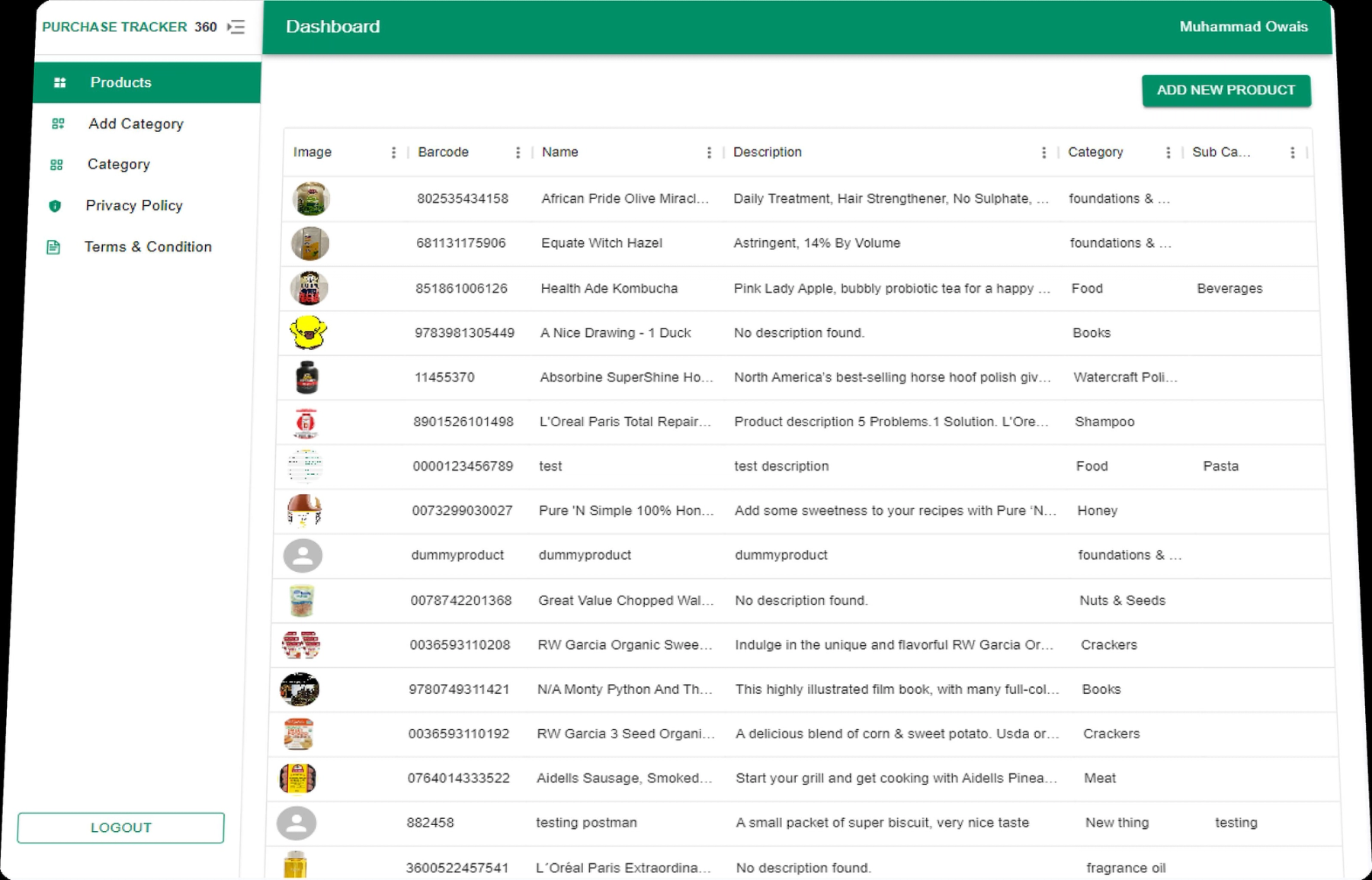
Admin catalog screens on the web and purchase-tracking flows on iOS and Android, shown so the actual interface stays readable.
Product catalog
Category hierarchy
Mobile
On the phone
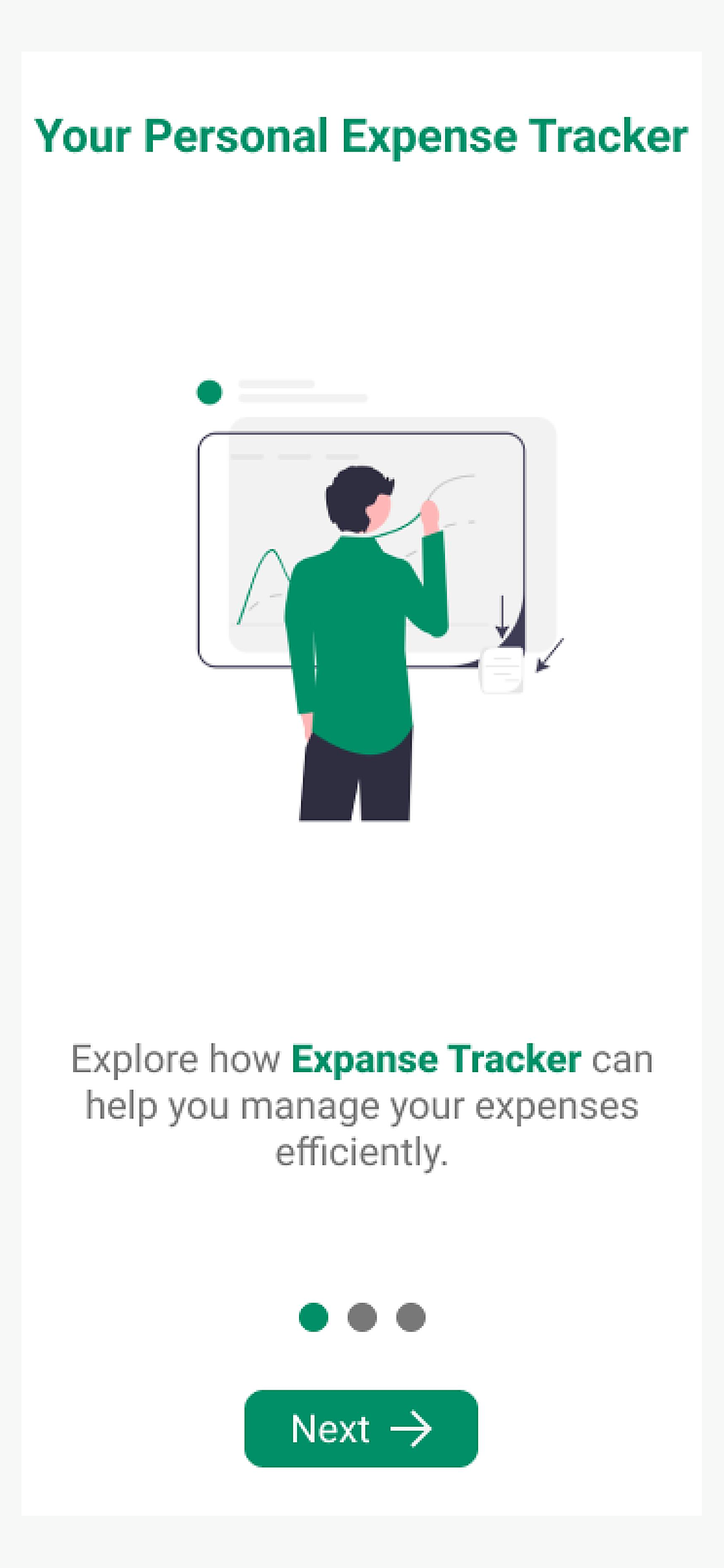
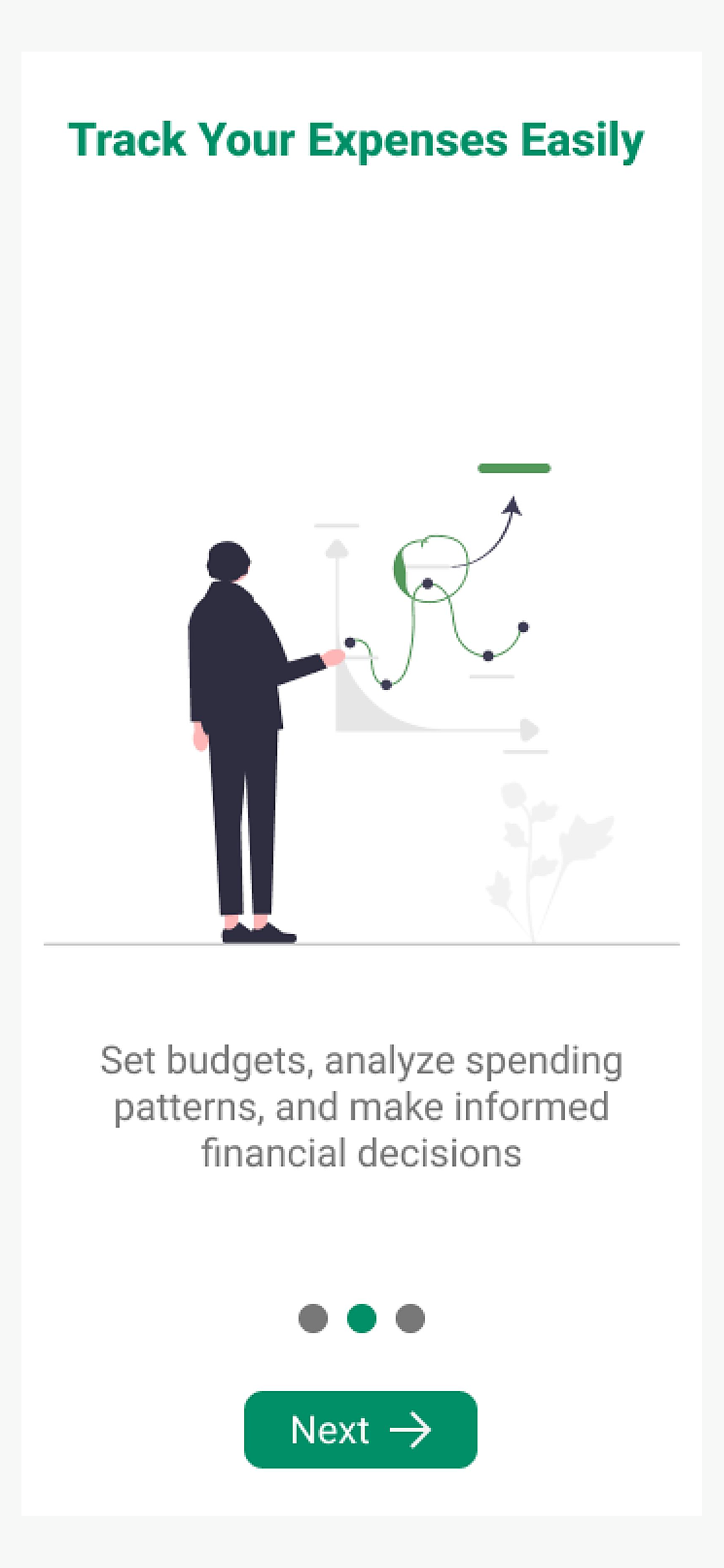
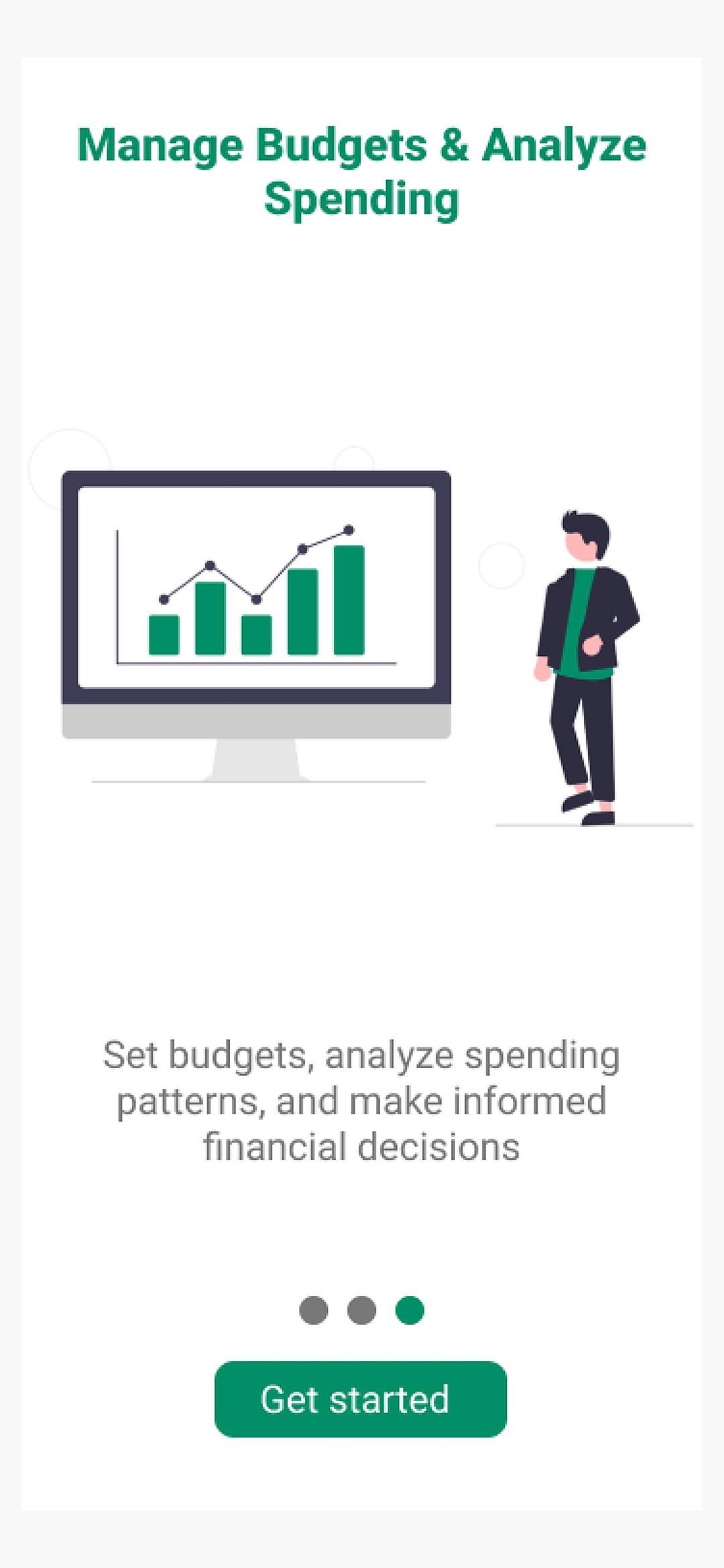
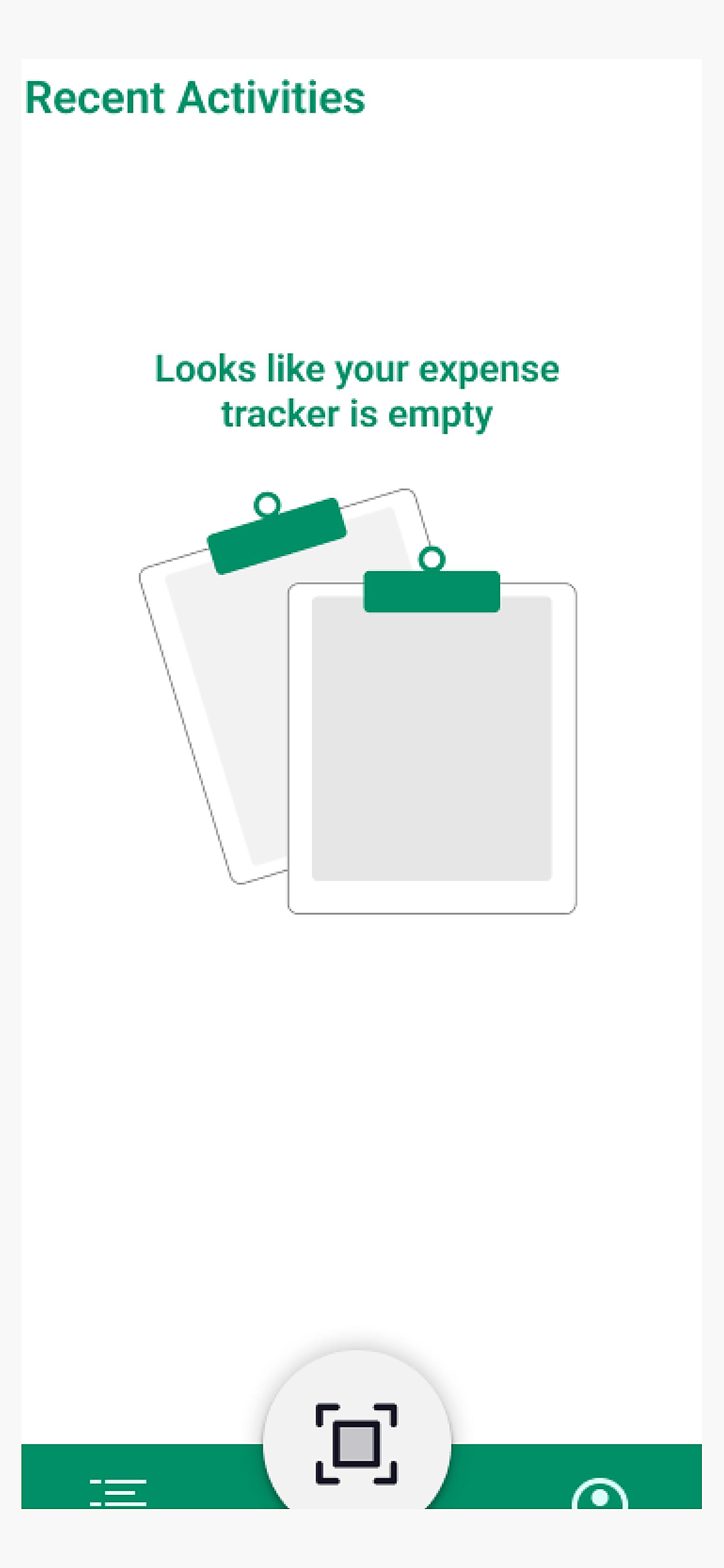
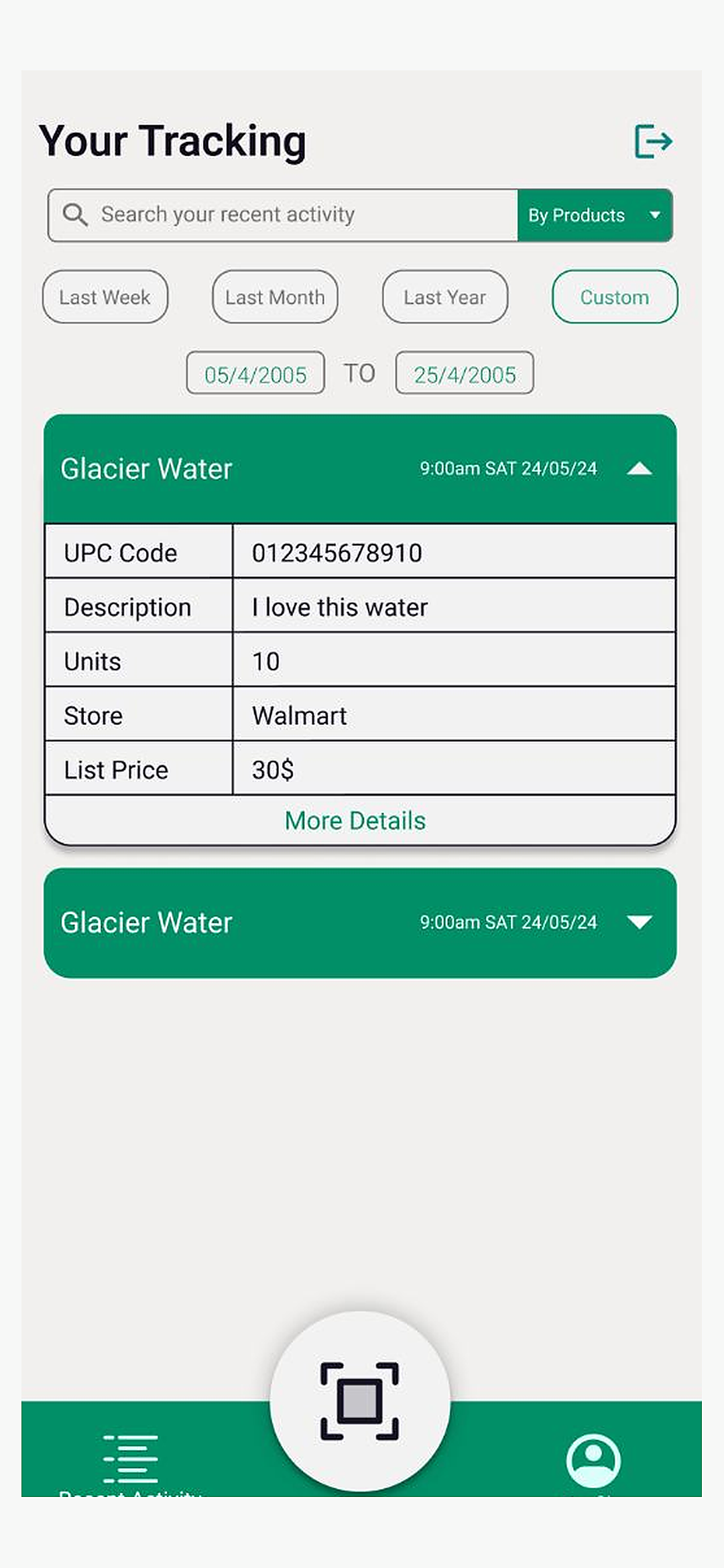
The mobile experience, shown in phone frames so the app layout stays clear.
Challenges
Project Challenges
Capture in one flow: Barcode, photo, price, and location had to feel like a single action, not four disconnected forms after the scan.
Local plus cloud: Purchases needed to live on the device and in AWS without two competing sources of truth or a confusing empty state.
Three-level taxonomy: Main, sub, and side categories had to stay editable in the admin without burying shoppers in nested pickers on the phone.
Two surfaces, one system: React Native and the React admin needed the same brand, information architecture, and product model.
Process
Our Approach
- 01
Short onboarding, then sign-in
Three screens introduce tracking, capture, and analytics. Accounts use email and password, with social sign-in for Google and Apple.
- 02
Camera, then details
The scan screen is the center action on the tab bar. Anything the barcode does not fill is completed on the add-product form.
- 03
Activity as the home
Recent activity is the default destination: search, time filters, expandable purchase cards, and a clear empty state for new users.
- 04
Admin for the catalog
The React panel lists products with barcodes and images, and expands categories into sub and side levels with edit and delete controls.
Highlights
Key Features
Barcode and QR capture
A dedicated scanner with a viewfinder and a persistent scan control on the tab bar, so adding an item starts from the camera.
Filtered purchase history
Search recent activity, filter by product, and narrow to last week, month, year, or a custom range with expandable item cards.
Product records
After a scan, shoppers add name, UPC, description, size, rating, price, store, origin, packaging, category, and perishable status.
Admin product table
The web dashboard lists images, barcodes, names, descriptions, and categories, with a clear action to add a new product.
Nested categories
Admins expand main categories into sub and side levels — for example footwear into kids, women, and men — with edit and delete on every row.
Outcomes
Results
01
Shipped on both platforms
A working iOS and Android app plus a web admin, delivered in 2024 on React, React Native, Node.js, and AWS.
02
Full scan-to-catalog loop
Shoppers can scan, complete details, and review a product record; admins can add the same catalog from the dashboard.
03
Readable activity feed
Filters, search, expandable cards, and an empty state cover both first-run and returning-shopper use.
04
Structured catalog
Products sit in a three-level category tree so tracking stays organized as the database grows.
Portfolio
More Projects

Freight Operator
A dispatcher web application for managing loads, documents, routing, billing, and driver operations from pickup through delivery.

Share Accountz
A web and mobile app for sharing bank accounts and social handles from one profile, with a dashboard, QR code, and one-click share link.
Start Your Project
Ready to build something like this?
Tell us about your idea and we will help you turn it into a reliable digital product.